Translate!
The AI-Powered Translation App
↓

Overview
The Translate! web application that can translate texts from one language to another using OpenAI's GPT-3 API. The app allows users to select the source and target language, enter their text, and get the translated output instantly.
DemoAbout This Project
Team
One-person team developing web applications with a passion for clean, intuitive design and efficient functionality
Stack
- Node.js
- Express.js
- CSS
Development
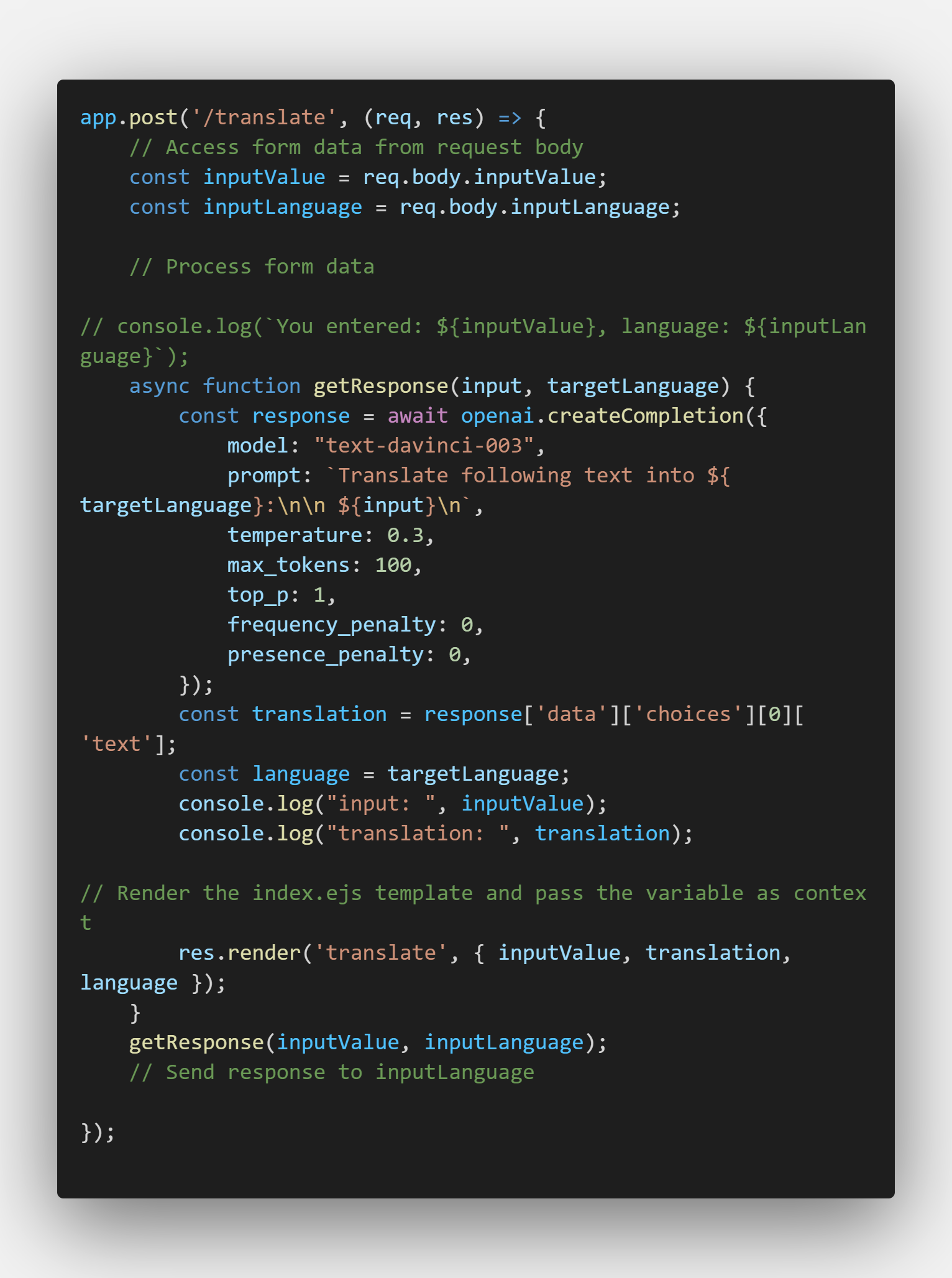
This app was developed using Node.js and the OpenAI API to provide a translation service.

Wireframe
For the webpage design, I wanted to create a modern, user-friendly interface that would make it easy for users to input and receive translations. I used a distinct color scheme to help users easily distinguish between the input and output sections. I also used Noto fonts to provide compatible with all language.
The website is fully responsive. The desktop layout features a left and right column design, with the input on the left and the output on the right. For the mobile layout, I used a single column design and added a float control button for ease of use. This allows users to quickly access the translation feature without scrolling through the page.
API Study
Next, I studied OpenAI's API documentation to understand how the translation feature works. I learned that the API uses machine learning algorithms to generate translations that are as accurate and natural-sounding as possible. I also discovered that the API has several parameters that can be customized, such as the language models and the level of 'creativity' in the output. By exploring these options, I was able to fine-tune the translation feature to best suit the needs of my users.
Deploy Project
After wireframing and API study, I deployed the project using Node.js and Express.js. I used Noto fonts from Google Fonts to give the webpage a modern look and feel. I also made sure to optimize the webpage for both desktop and mobile devices, so that users could access the app on any device.
Conclusion
In conclusion, the translation app was a challenging project that allowed me to learn new skills and explore the capabilities of OpenAI's API. By wireframing, studying the API, and deploying the project, I was able to create a user-friendly app that helps people communicate across different languages.
Lí hó! Ting
About me
Hi! I am Ting-Huei Chen.
A frontend developer that used to be a watch designer.
I love
coding, coding love me.